ArticlesArticles Most Helpful ArticlesMost Helpful Articles Language SettingsLanguage Settings LoginLogin
RSS Feeds
DrillDown Icon Table of Contents Back
 . . . . . . . . . . . . .
DrillDown Icon System Administrator
DrillDown Icon Security System
DrillDown Icon Trigger Setup
DrillDown Icon System Setup
DrillDown Icon Quick Start
DrillDown Icon Operations Manuals
DrillDown Icon Accounting Manuals
DrillDown Icon Accounting Setup
DrillDown Icon Accounts Receivable
DrillDown Icon Accounts Payable
DrillDown Icon Prerequisites
DrillDown Icon Introduction
DrillDown Icon PO Receipt Reconciliation
DrillDown Icon Manual A/P Entries
DrillDown Icon A/P Aging
DrillDown Icon Payment Sheduling
DrillDown Icon Prerequisites
DrillDown Icon Introduction
DrillDown Icon Fields & Definitions
DrillDown Icon How To ....
DrillDown Icon Reports
DrillDown Icon Check Reports
DrillDown Icon Check Register Reports
DrillDown Icon AP Offset
DrillDown Icon Debit Memo
DrillDown Icon Bank Reconciliation
DrillDown Icon How to Process Credit Card Payments
DrillDown Icon FAQs
DrillDown Icon General Ledger
DrillDown Icon Accounting Transaction flow examples
DrillDown Icon FAQs - General Accounting
DrillDown Icon System Utilities
DrillDown Icon Definitions
  Email This ArticlePrint PreviewPrint Current Article and All Sub-Articles
 
Check Register Reports
Print Check Register Reports 
 
The information will be based on the criteria selected in the Check Register screen

Once the display is as desired, if you want a hard copy printout, depress the Printer Icon and the following reports will be available.
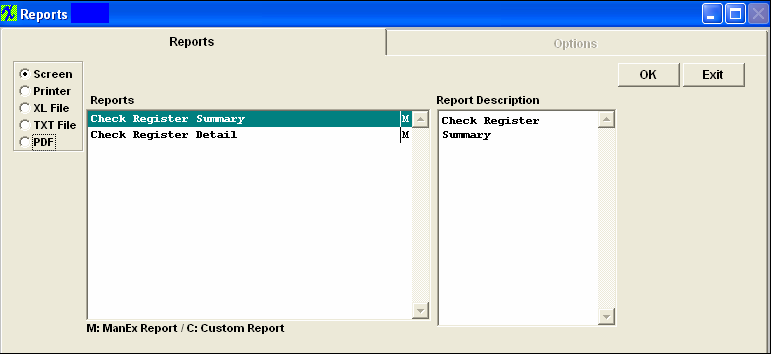
  
 
Highlight the desired report, Select one of the radio buttons for the output you desire;  Screen, Printer, XL File, TXT File, or PDF, and depress the OK button.
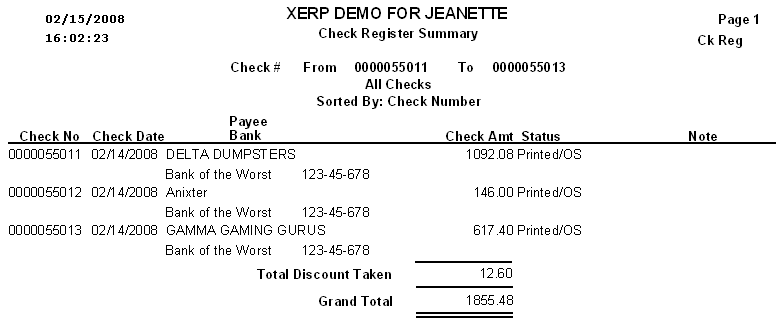
Check Register Summary Report


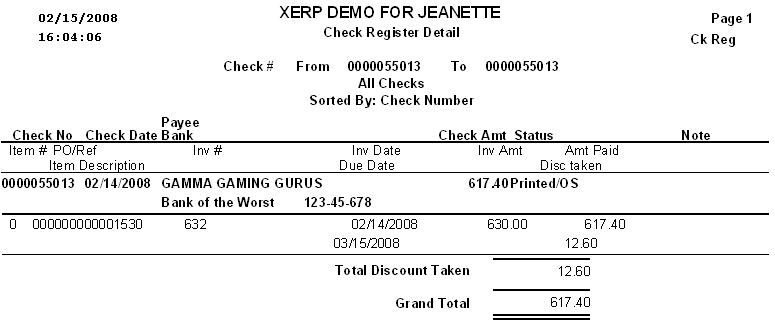
Check Register Detail Report


Article ID: 2221